About me
A Creative Mind with a Technical Edge
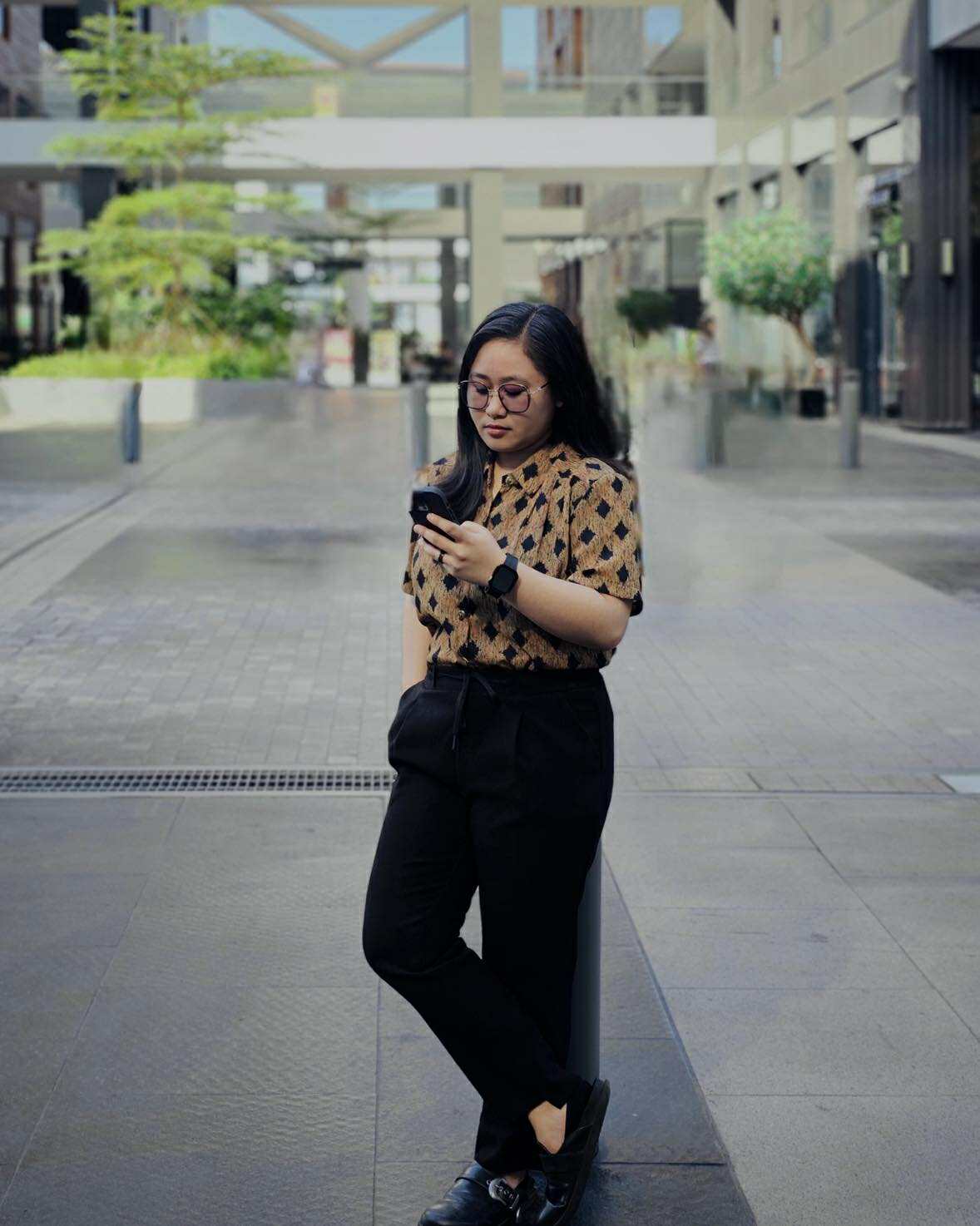
Hi! I’m Emijen Dualan, a passionate designer and developer based in Quezon City, Metro Manila, Philippines. I love blending creativity and technology to craft purposeful and user-friendly digital experiences.
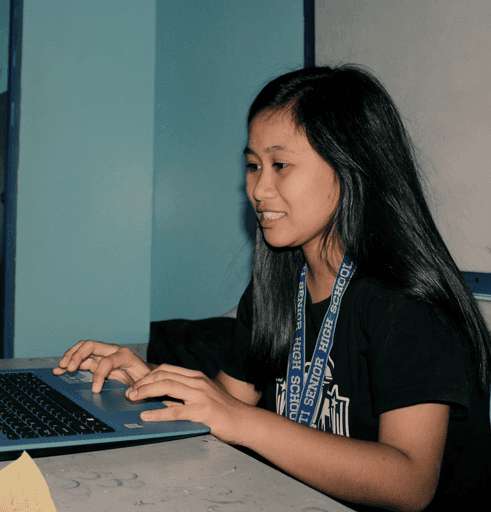
My journey into design began back in high school. Beyond academics, I found joy in expressing creativity through journalism, where I served as Editor-in-Chief of our school paper, The Blare, for four years. I designed layouts and turned stories into visual experiences — a journey that not only refined my writing and editing skills but also sparked my lifelong passion for design and visual storytelling.
Now, as a BS in Information Technology graduate from STI College Muñoz-EDSA, I’ve built a career that bridges art and technology — creating cohesive brand stories that connect with people. I carry every lesson from those early creative years into my work today, continuing to grow, learn, and push my craft forward.
A few things about me
As a digital designer, I am a visual storyteller, crafting experiences that connect deeply and spark creativity.
I love turning complex ideas into creative visual stories. 🎨
I design and build functional, responsive websites. 💻
I thrive in collaboration and fast-paced creative environments. 🤝
I’m always learning - new tools, new trends, and new ways to create impact. 🚀
Discover My Journey in Design
From an inquisitive creator to a full-time designer, I’ve built my journey around crafting meaningful, user-centered digital experiences—where strategy, storytelling, and design come together seamlessly.
Graphic Artist | Website Developer
Motoben Motorcycle Gears Trading
July 2024 - Present
Graphic Artist | Website Developer
Motoben Motorcycle Gears Trading
July 2024 - Present
Graphic Artist | Website Developer
Motoben Motorcycle Gears Trading
July 2024 - Present
Social Media Manager | Admissions Officer
STI College Muñoz-EDSA
June 2023 - June 2024
Social Media Manager | Admissions Officer
STI College Muñoz-EDSA
June 2023 - June 2024
Social Media Manager | Admissions Officer
STI College Muñoz-EDSA
June 2023 - June 2024
Graphic Designer | Front Office Intern
STI College Muñoz-EDSA
February 2023 - May 2023
Graphic Designer | Front Office Intern
STI College Muñoz-EDSA
February 2023 - May 2023
Graphic Designer | Front Office Intern
STI College Muñoz-EDSA
February 2023 - May 2023
Accounting Intern
STI College Quezon Avenue
February 2023 - May 2023
Accounting Intern
STI College Quezon Avenue
February 2023 - May 2023
Accounting Intern
STI College Quezon Avenue
February 2023 - May 2023
BS Information Technology
STI College Muñoz-EDSA
July 2019 - August 2023
BS Information Technology
STI College Muñoz-EDSA
July 2019 - August 2023
BS Information Technology
STI College Muñoz-EDSA
July 2019 - August 2023
Mobile App & Web Development
STI College Quezon Avenue
June 2017 - April 2019
Mobile App & Web Development
STI College Quezon Avenue
June 2017 - April 2019
Mobile App & Web Development
STI College Quezon Avenue
June 2017 - April 2019
Hello World! 👋
Wrote my first line of code
2017
Hello World! 👋
Wrote my first line of code
2017
Hello World! 👋
Wrote my first line of code
2017
Freelancer
Student Days
2013 - 2018
Freelancer
Student Days
2013 - 2018
Freelancer
Student Days
2013 - 2018

my tech stack
My process is where strategy meets creativity. I mix creativity with strategy to turn ideas into smart, effective designs. Every tool I use helps me solve problems and bring messages to life — with purpose and style.
Design and Prototyping Tools
Design and Prototyping Tools
Design and Prototyping Tools

Photoshop
Photoshop is essential for me when editing images or creating detailed visual assets like icons or banners that enhance the user interface.
Photoshop
Photoshop is essential for me when editing images or creating detailed visual assets like icons or banners that enhance the user interface.
Photoshop
Photoshop is essential for me when editing images or creating detailed visual assets like icons or banners that enhance the user interface.
Illustrator
I turn to Illustrator for designing vector-based UI elements like logos and custom illustrations that need to be crisp and scalable.
Illustrator
I turn to Illustrator for designing vector-based UI elements like logos and custom illustrations that need to be crisp and scalable.
Illustrator
I turn to Illustrator for designing vector-based UI elements like logos and custom illustrations that need to be crisp and scalable.

Canva
When I need to quickly create simple assets like presentation slides or concept sketches for brainstorming sessions, Canva helps me work efficiently.
Canva
When I need to quickly create simple assets like presentation slides or concept sketches for brainstorming sessions, Canva helps me work efficiently.
Canva
When I need to quickly create simple assets like presentation slides or concept sketches for brainstorming sessions, Canva helps me work efficiently.

SketchUp
SketchUp is essential for my 3D visualization and spatial design work. I use it to develop accurate models, explore design concepts, and present realistic renderings to clients. It helps me bring digital ideas into tangible visual forms.
SketchUp
SketchUp is essential for my 3D visualization and spatial design work. I use it to develop accurate models, explore design concepts, and present realistic renderings to clients. It helps me bring digital ideas into tangible visual forms.
SketchUp
SketchUp is essential for my 3D visualization and spatial design work. I use it to develop accurate models, explore design concepts, and present realistic renderings to clients. It helps me bring digital ideas into tangible visual forms.

Framer
I use Framer when I need to create high-fidelity prototypes with advanced animations and micro-interactions to test user behavior and refine designs.
Framer
I use Framer when I need to create high-fidelity prototypes with advanced animations and micro-interactions to test user behavior and refine designs.
Framer
I use Framer when I need to create high-fidelity prototypes with advanced animations and micro-interactions to test user behavior and refine designs.

Squarespace
Squarespace allows me to design clean, responsive, and professional websites without heavy coding. I use it to build portfolio sites, business pages, and branded web experiences that align with each client’s visual identity. Its built-in SEO and design flexibility make it an excellent tool for creative presentation.
Squarespace
Squarespace allows me to design clean, responsive, and professional websites without heavy coding. I use it to build portfolio sites, business pages, and branded web experiences that align with each client’s visual identity. Its built-in SEO and design flexibility make it an excellent tool for creative presentation.
Squarespace
Squarespace allows me to design clean, responsive, and professional websites without heavy coding. I use it to build portfolio sites, business pages, and branded web experiences that align with each client’s visual identity. Its built-in SEO and design flexibility make it an excellent tool for creative presentation.

Wordpress
WordPress gives me the flexibility to design and manage dynamic websites with custom features. I use it for blog setups, portfolio sites, and business pages where scalability and SEO optimization are essential. It’s a powerful tool that supports my creative and technical approach to digital design.
Wordpress
WordPress gives me the flexibility to design and manage dynamic websites with custom features. I use it for blog setups, portfolio sites, and business pages where scalability and SEO optimization are essential. It’s a powerful tool that supports my creative and technical approach to digital design.
Wordpress
WordPress gives me the flexibility to design and manage dynamic websites with custom features. I use it for blog setups, portfolio sites, and business pages where scalability and SEO optimization are essential. It’s a powerful tool that supports my creative and technical approach to digital design.
Development and Implementation Tools
Development and Implementation Tools
Development and Implementation Tools

HTML5
I use HTML5 to structure content when prototyping or testing designs in a browser, ensuring layouts and interactions function as intended.
HTML5
I use HTML5 to structure content when prototyping or testing designs in a browser, ensuring layouts and interactions function as intended.
HTML5
I use HTML5 to structure content when prototyping or testing designs in a browser, ensuring layouts and interactions function as intended.

CSS3
CSS3 allows me to style and bring my designs to life by adding layouts, colors, animations, and responsive adjustments directly to web pages.
CSS3
CSS3 allows me to style and bring my designs to life by adding layouts, colors, animations, and responsive adjustments directly to web pages.
CSS3
CSS3 allows me to style and bring my designs to life by adding layouts, colors, animations, and responsive adjustments directly to web pages.

Visual Studio Code
Visual Studio Code is my preferred environment for coding and web-related design tasks. I use it to edit HTML, CSS, and JavaScript when working on UI/UX projects or interactive prototypes. Its lightweight setup and powerful extensions help me code efficiently and maintain a smooth creative workflow.
Visual Studio Code
Visual Studio Code is my preferred environment for coding and web-related design tasks. I use it to edit HTML, CSS, and JavaScript when working on UI/UX projects or interactive prototypes. Its lightweight setup and powerful extensions help me code efficiently and maintain a smooth creative workflow.
Visual Studio Code
Visual Studio Code is my preferred environment for coding and web-related design tasks. I use it to edit HTML, CSS, and JavaScript when working on UI/UX projects or interactive prototypes. Its lightweight setup and powerful extensions help me code efficiently and maintain a smooth creative workflow.
Video Editing and Content Creation
Video Editing and Content Creation
Video Editing and Content Creation

CapCut
CapCut helps me create engaging video content quickly and efficiently. I use it to edit motion graphics, social media clips, and promotional videos that complement my design projects. Its templates and effects make my workflow faster while keeping everything visually polished.
CapCut
CapCut helps me create engaging video content quickly and efficiently. I use it to edit motion graphics, social media clips, and promotional videos that complement my design projects. Its templates and effects make my workflow faster while keeping everything visually polished.
CapCut
CapCut helps me create engaging video content quickly and efficiently. I use it to edit motion graphics, social media clips, and promotional videos that complement my design projects. Its templates and effects make my workflow faster while keeping everything visually polished.

Wondershare Filmora
CapCut helps me create engaging video content quickly and efficiently. I use it to edit motion graphics, social media clips, and promotional videos that complement my design projects. Its templates and effects make my workflow faster while keeping everything visually polished.
Wondershare Filmora
CapCut helps me create engaging video content quickly and efficiently. I use it to edit motion graphics, social media clips, and promotional videos that complement my design projects. Its templates and effects make my workflow faster while keeping everything visually polished.
Wondershare Filmora
CapCut helps me create engaging video content quickly and efficiently. I use it to edit motion graphics, social media clips, and promotional videos that complement my design projects. Its templates and effects make my workflow faster while keeping everything visually polished.
Writing, Editing and Productivity Tools
Writing, Editing and Productivity Tools
Writing, Editing and Productivity Tools

Google Workspace
Google Workspace keeps my design workflow organized and collaborative. I use Docs, Sheets, and Drive to manage project briefs, share assets, and communicate with clients in real time. It helps me stay productive and aligned across multiple projects.
Google Workspace
Google Workspace keeps my design workflow organized and collaborative. I use Docs, Sheets, and Drive to manage project briefs, share assets, and communicate with clients in real time. It helps me stay productive and aligned across multiple projects.
Google Workspace
Google Workspace keeps my design workflow organized and collaborative. I use Docs, Sheets, and Drive to manage project briefs, share assets, and communicate with clients in real time. It helps me stay productive and aligned across multiple projects.

Microsoft Office
Microsoft Office supports my documentation and presentation tasks. I use Word for proposals, Excel for project tracking, and PowerPoint for client decks. It’s a reliable suite that keeps my administrative and creative processes structured.
Microsoft Office
Microsoft Office supports my documentation and presentation tasks. I use Word for proposals, Excel for project tracking, and PowerPoint for client decks. It’s a reliable suite that keeps my administrative and creative processes structured.
Microsoft Office
Microsoft Office supports my documentation and presentation tasks. I use Word for proposals, Excel for project tracking, and PowerPoint for client decks. It’s a reliable suite that keeps my administrative and creative processes structured.

ChatGPT
ChatGPT helps me brainstorm creative ideas, write compelling descriptions, and organize design concepts. I also use it to explore new approaches in digital storytelling and streamline repetitive tasks in my creative workflow.
ChatGPT
ChatGPT helps me brainstorm creative ideas, write compelling descriptions, and organize design concepts. I also use it to explore new approaches in digital storytelling and streamline repetitive tasks in my creative workflow.
ChatGPT
ChatGPT helps me brainstorm creative ideas, write compelling descriptions, and organize design concepts. I also use it to explore new approaches in digital storytelling and streamline repetitive tasks in my creative workflow.

Grammarly
Grammarly is my go-to tool for writing and refining project descriptions, proposals, and social captions. It ensures my communication is clear, professional, and free from errors—especially when presenting design concepts to clients.
Grammarly
Grammarly is my go-to tool for writing and refining project descriptions, proposals, and social captions. It ensures my communication is clear, professional, and free from errors—especially when presenting design concepts to clients.
Grammarly
Grammarly is my go-to tool for writing and refining project descriptions, proposals, and social captions. It ensures my communication is clear, professional, and free from errors—especially when presenting design concepts to clients.

Hi
Hi
Hi
Let's work together
From fresh ideas to refined designs, I love turning creativity into impact. Let’s team up and make something unforgettable—whether it's your brand, your website, or your next great project.
About me
A Creative Mind with a Technical Edge
Hi! I’m Emijen Dualan, a passionate designer and developer based in Quezon City, Metro Manila, Philippines. I love blending creativity and technology to craft purposeful and user-friendly digital experiences.
My journey into design began back in high school. Beyond academics, I found joy in expressing creativity through journalism, where I served as Editor-in-Chief of our school paper, The Blare, for four years. I designed layouts and turned stories into visual experiences — a journey that not only refined my writing and editing skills but also sparked my lifelong passion for design and visual storytelling.
Now, as a BS in Information Technology graduate from STI College Muñoz-EDSA, I’ve built a career that bridges art and technology — creating cohesive brand stories that connect with people. I carry every lesson from those early creative years into my work today, continuing to grow, learn, and push my craft forward.
A few things about me
As a digital designer, I am a visual storyteller, crafting experiences that connect deeply and spark creativity.
I love turning complex ideas into creative visual stories. 🎨
I design and build functional, responsive websites. 💻
I thrive in collaboration and fast-paced creative environments. 🤝
I’m always learning - new tools, new trends, and new ways to create impact. 🚀
Discover My Journey in Design
From an inquisitive creator to a full-time designer, I’ve built my journey around crafting meaningful, user-centered digital experiences—where strategy, storytelling, and design come together seamlessly.
Graphic Artist | Website Developer
Motoben Motorcycle Gears Trading
July 2024 - Present
Graphic Artist | Website Developer
Motoben Motorcycle Gears Trading
July 2024 - Present
Graphic Artist | Website Developer
Motoben Motorcycle Gears Trading
July 2024 - Present
Social Media Manager | Admissions Officer
STI College Muñoz-EDSA
June 2023 - June 2024
Social Media Manager | Admissions Officer
STI College Muñoz-EDSA
June 2023 - June 2024
Social Media Manager | Admissions Officer
STI College Muñoz-EDSA
June 2023 - June 2024
Graphic Designer | Front Office Intern
STI College Muñoz-EDSA
February 2023 - May 2023
Graphic Designer | Front Office Intern
STI College Muñoz-EDSA
February 2023 - May 2023
Graphic Designer | Front Office Intern
STI College Muñoz-EDSA
February 2023 - May 2023
Accounting Intern
STI College Quezon Avenue
February 2023 - May 2023
Accounting Intern
STI College Quezon Avenue
February 2023 - May 2023
Accounting Intern
STI College Quezon Avenue
February 2023 - May 2023
BS Information Technology
STI College Muñoz-EDSA
July 2019 - August 2023
BS Information Technology
STI College Muñoz-EDSA
July 2019 - August 2023
BS Information Technology
STI College Muñoz-EDSA
July 2019 - August 2023
Mobile App & Web Development
STI College Quezon Avenue
June 2017 - April 2019
Mobile App & Web Development
STI College Quezon Avenue
June 2017 - April 2019
Mobile App & Web Development
STI College Quezon Avenue
June 2017 - April 2019
Hello World! 👋
Wrote my first line of code
2017
Hello World! 👋
Wrote my first line of code
2017
Hello World! 👋
Wrote my first line of code
2017
Freelancer
Student Days
2013 - 2018
Freelancer
Student Days
2013 - 2018
Freelancer
Student Days
2013 - 2018
my tech stack
My process is where strategy meets creativity. I mix creativity with strategy to turn ideas into smart, effective designs. Every tool I use helps me solve problems and bring messages to life — with purpose and style.
Design and Prototyping Tools
Design and Prototyping Tools
Design and Prototyping Tools
Photoshop
Photoshop is essential for me when editing images or creating detailed visual assets like icons or banners that enhance the user interface.
Photoshop
Photoshop is essential for me when editing images or creating detailed visual assets like icons or banners that enhance the user interface.
Photoshop
Photoshop is essential for me when editing images or creating detailed visual assets like icons or banners that enhance the user interface.
Illustrator
I turn to Illustrator for designing vector-based UI elements like logos and custom illustrations that need to be crisp and scalable.
Illustrator
I turn to Illustrator for designing vector-based UI elements like logos and custom illustrations that need to be crisp and scalable.
Illustrator
I turn to Illustrator for designing vector-based UI elements like logos and custom illustrations that need to be crisp and scalable.
Canva
When I need to quickly create simple assets like presentation slides or concept sketches for brainstorming sessions, Canva helps me work efficiently.
Canva
When I need to quickly create simple assets like presentation slides or concept sketches for brainstorming sessions, Canva helps me work efficiently.
Canva
When I need to quickly create simple assets like presentation slides or concept sketches for brainstorming sessions, Canva helps me work efficiently.
SketchUp
SketchUp is essential for my 3D visualization and spatial design work. I use it to develop accurate models, explore design concepts, and present realistic renderings to clients. It helps me bring digital ideas into tangible visual forms.
SketchUp
SketchUp is essential for my 3D visualization and spatial design work. I use it to develop accurate models, explore design concepts, and present realistic renderings to clients. It helps me bring digital ideas into tangible visual forms.
SketchUp
SketchUp is essential for my 3D visualization and spatial design work. I use it to develop accurate models, explore design concepts, and present realistic renderings to clients. It helps me bring digital ideas into tangible visual forms.
Framer
I use Framer when I need to create high-fidelity prototypes with advanced animations and micro-interactions to test user behavior and refine designs.
Framer
I use Framer when I need to create high-fidelity prototypes with advanced animations and micro-interactions to test user behavior and refine designs.
Framer
I use Framer when I need to create high-fidelity prototypes with advanced animations and micro-interactions to test user behavior and refine designs.
Squarespace
Squarespace allows me to design clean, responsive, and professional websites without heavy coding. I use it to build portfolio sites, business pages, and branded web experiences that align with each client’s visual identity. Its built-in SEO and design flexibility make it an excellent tool for creative presentation.
Squarespace
Squarespace allows me to design clean, responsive, and professional websites without heavy coding. I use it to build portfolio sites, business pages, and branded web experiences that align with each client’s visual identity. Its built-in SEO and design flexibility make it an excellent tool for creative presentation.
Squarespace
Squarespace allows me to design clean, responsive, and professional websites without heavy coding. I use it to build portfolio sites, business pages, and branded web experiences that align with each client’s visual identity. Its built-in SEO and design flexibility make it an excellent tool for creative presentation.
Wordpress
WordPress gives me the flexibility to design and manage dynamic websites with custom features. I use it for blog setups, portfolio sites, and business pages where scalability and SEO optimization are essential. It’s a powerful tool that supports my creative and technical approach to digital design.
Wordpress
WordPress gives me the flexibility to design and manage dynamic websites with custom features. I use it for blog setups, portfolio sites, and business pages where scalability and SEO optimization are essential. It’s a powerful tool that supports my creative and technical approach to digital design.
Wordpress
WordPress gives me the flexibility to design and manage dynamic websites with custom features. I use it for blog setups, portfolio sites, and business pages where scalability and SEO optimization are essential. It’s a powerful tool that supports my creative and technical approach to digital design.
Development and Implementation Tools
Development and Implementation Tools
Development and Implementation Tools
HTML5
I use HTML5 to structure content when prototyping or testing designs in a browser, ensuring layouts and interactions function as intended.
HTML5
I use HTML5 to structure content when prototyping or testing designs in a browser, ensuring layouts and interactions function as intended.
HTML5
I use HTML5 to structure content when prototyping or testing designs in a browser, ensuring layouts and interactions function as intended.
CSS3
CSS3 allows me to style and bring my designs to life by adding layouts, colors, animations, and responsive adjustments directly to web pages.
CSS3
CSS3 allows me to style and bring my designs to life by adding layouts, colors, animations, and responsive adjustments directly to web pages.
CSS3
CSS3 allows me to style and bring my designs to life by adding layouts, colors, animations, and responsive adjustments directly to web pages.
Visual Studio Code
Visual Studio Code is my preferred environment for coding and web-related design tasks. I use it to edit HTML, CSS, and JavaScript when working on UI/UX projects or interactive prototypes. Its lightweight setup and powerful extensions help me code efficiently and maintain a smooth creative workflow.
Visual Studio Code
Visual Studio Code is my preferred environment for coding and web-related design tasks. I use it to edit HTML, CSS, and JavaScript when working on UI/UX projects or interactive prototypes. Its lightweight setup and powerful extensions help me code efficiently and maintain a smooth creative workflow.
Visual Studio Code
Visual Studio Code is my preferred environment for coding and web-related design tasks. I use it to edit HTML, CSS, and JavaScript when working on UI/UX projects or interactive prototypes. Its lightweight setup and powerful extensions help me code efficiently and maintain a smooth creative workflow.
Video Editing and Content Creation
Video Editing and Content Creation
Video Editing and Content Creation
CapCut
CapCut helps me create engaging video content quickly and efficiently. I use it to edit motion graphics, social media clips, and promotional videos that complement my design projects. Its templates and effects make my workflow faster while keeping everything visually polished.
CapCut
CapCut helps me create engaging video content quickly and efficiently. I use it to edit motion graphics, social media clips, and promotional videos that complement my design projects. Its templates and effects make my workflow faster while keeping everything visually polished.
CapCut
CapCut helps me create engaging video content quickly and efficiently. I use it to edit motion graphics, social media clips, and promotional videos that complement my design projects. Its templates and effects make my workflow faster while keeping everything visually polished.
Wondershare Filmora
CapCut helps me create engaging video content quickly and efficiently. I use it to edit motion graphics, social media clips, and promotional videos that complement my design projects. Its templates and effects make my workflow faster while keeping everything visually polished.
Wondershare Filmora
CapCut helps me create engaging video content quickly and efficiently. I use it to edit motion graphics, social media clips, and promotional videos that complement my design projects. Its templates and effects make my workflow faster while keeping everything visually polished.
Wondershare Filmora
CapCut helps me create engaging video content quickly and efficiently. I use it to edit motion graphics, social media clips, and promotional videos that complement my design projects. Its templates and effects make my workflow faster while keeping everything visually polished.
Writing, Editing and Productivity Tools
Writing, Editing and Productivity Tools
Writing, Editing and Productivity Tools
Google Workspace
Google Workspace keeps my design workflow organized and collaborative. I use Docs, Sheets, and Drive to manage project briefs, share assets, and communicate with clients in real time. It helps me stay productive and aligned across multiple projects.
Google Workspace
Google Workspace keeps my design workflow organized and collaborative. I use Docs, Sheets, and Drive to manage project briefs, share assets, and communicate with clients in real time. It helps me stay productive and aligned across multiple projects.
Google Workspace
Google Workspace keeps my design workflow organized and collaborative. I use Docs, Sheets, and Drive to manage project briefs, share assets, and communicate with clients in real time. It helps me stay productive and aligned across multiple projects.
Microsoft Office
Microsoft Office supports my documentation and presentation tasks. I use Word for proposals, Excel for project tracking, and PowerPoint for client decks. It’s a reliable suite that keeps my administrative and creative processes structured.
Microsoft Office
Microsoft Office supports my documentation and presentation tasks. I use Word for proposals, Excel for project tracking, and PowerPoint for client decks. It’s a reliable suite that keeps my administrative and creative processes structured.
Microsoft Office
Microsoft Office supports my documentation and presentation tasks. I use Word for proposals, Excel for project tracking, and PowerPoint for client decks. It’s a reliable suite that keeps my administrative and creative processes structured.
ChatGPT
ChatGPT helps me brainstorm creative ideas, write compelling descriptions, and organize design concepts. I also use it to explore new approaches in digital storytelling and streamline repetitive tasks in my creative workflow.
ChatGPT
ChatGPT helps me brainstorm creative ideas, write compelling descriptions, and organize design concepts. I also use it to explore new approaches in digital storytelling and streamline repetitive tasks in my creative workflow.
ChatGPT
ChatGPT helps me brainstorm creative ideas, write compelling descriptions, and organize design concepts. I also use it to explore new approaches in digital storytelling and streamline repetitive tasks in my creative workflow.
Grammarly
Grammarly is my go-to tool for writing and refining project descriptions, proposals, and social captions. It ensures my communication is clear, professional, and free from errors—especially when presenting design concepts to clients.
Grammarly
Grammarly is my go-to tool for writing and refining project descriptions, proposals, and social captions. It ensures my communication is clear, professional, and free from errors—especially when presenting design concepts to clients.
Grammarly
Grammarly is my go-to tool for writing and refining project descriptions, proposals, and social captions. It ensures my communication is clear, professional, and free from errors—especially when presenting design concepts to clients.
Hi
Hi
Hi
Let's work together
From fresh ideas to refined designs, I love turning creativity into impact. Let’s team up and make something unforgettable—whether it's your brand, your website, or your next great project.
About me
A Creative Mind with a Technical Edge
Hi! I’m Emijen Dualan, a passionate designer and developer based in Quezon City, Metro Manila, Philippines. I love blending creativity and technology to craft purposeful and user-friendly digital experiences.
My journey into design began back in high school. Beyond academics, I found joy in expressing creativity through journalism, where I served as Editor-in-Chief of our school paper, The Blare, for four years. I designed layouts and turned stories into visual experiences — a journey that not only refined my writing and editing skills but also sparked my lifelong passion for design and visual storytelling.
Now, as a BS in Information Technology graduate from STI College Muñoz-EDSA, I’ve built a career that bridges art and technology — creating cohesive brand stories that connect with people. I carry every lesson from those early creative years into my work today, continuing to grow, learn, and push my craft forward.
A few things about me
As a digital designer, I am a visual storyteller, crafting experiences that connect deeply and spark creativity.
I love turning complex ideas into creative visual stories. 🎨
I design and build functional, responsive websites. 💻
I thrive in collaboration and fast-paced creative environments. 🤝
I’m always learning - new tools, new trends, and new ways to create impact. 🚀
Discover My Journey in Design
From an inquisitive creator to a full-time designer, I’ve built my journey around crafting meaningful, user-centered digital experiences—where strategy, storytelling, and design come together seamlessly.
Graphic Artist | Website Developer
Motoben Motorcycle Gears Trading
July 2024 - Present
Graphic Artist | Website Developer
Motoben Motorcycle Gears Trading
July 2024 - Present
Graphic Artist | Website Developer
Motoben Motorcycle Gears Trading
July 2024 - Present
Social Media Manager | Admissions Officer
STI College Muñoz-EDSA
June 2023 - June 2024
Social Media Manager | Admissions Officer
STI College Muñoz-EDSA
June 2023 - June 2024
Social Media Manager | Admissions Officer
STI College Muñoz-EDSA
June 2023 - June 2024
Graphic Designer | Front Office Intern
STI College Muñoz-EDSA
February 2023 - May 2023
Graphic Designer | Front Office Intern
STI College Muñoz-EDSA
February 2023 - May 2023
Graphic Designer | Front Office Intern
STI College Muñoz-EDSA
February 2023 - May 2023
Accounting Intern
STI College Quezon Avenue
February 2023 - May 2023
Accounting Intern
STI College Quezon Avenue
February 2023 - May 2023
Accounting Intern
STI College Quezon Avenue
February 2023 - May 2023
BS Information Technology
STI College Muñoz-EDSA
July 2019 - August 2023
BS Information Technology
STI College Muñoz-EDSA
July 2019 - August 2023
BS Information Technology
STI College Muñoz-EDSA
July 2019 - August 2023
Mobile App & Web Development
STI College Quezon Avenue
June 2017 - April 2019
Mobile App & Web Development
STI College Quezon Avenue
June 2017 - April 2019
Mobile App & Web Development
STI College Quezon Avenue
June 2017 - April 2019
Hello World! 👋
Wrote my first line of code
2017
Hello World! 👋
Wrote my first line of code
2017
Hello World! 👋
Wrote my first line of code
2017
Freelancer
Student Days
2013 - 2018
Freelancer
Student Days
2013 - 2018
Freelancer
Student Days
2013 - 2018
my tech stack
My process is where strategy meets creativity. I mix creativity with strategy to turn ideas into smart, effective designs. Every tool I use helps me solve problems and bring messages to life — with purpose and style.
Design and Prototyping Tools
Design and Prototyping Tools
Design and Prototyping Tools
Photoshop
Photoshop is essential for me when editing images or creating detailed visual assets like icons or banners that enhance the user interface.
Photoshop
Photoshop is essential for me when editing images or creating detailed visual assets like icons or banners that enhance the user interface.
Photoshop
Photoshop is essential for me when editing images or creating detailed visual assets like icons or banners that enhance the user interface.
Illustrator
I turn to Illustrator for designing vector-based UI elements like logos and custom illustrations that need to be crisp and scalable.
Illustrator
I turn to Illustrator for designing vector-based UI elements like logos and custom illustrations that need to be crisp and scalable.
Illustrator
I turn to Illustrator for designing vector-based UI elements like logos and custom illustrations that need to be crisp and scalable.
Canva
When I need to quickly create simple assets like presentation slides or concept sketches for brainstorming sessions, Canva helps me work efficiently.
Canva
When I need to quickly create simple assets like presentation slides or concept sketches for brainstorming sessions, Canva helps me work efficiently.
Canva
When I need to quickly create simple assets like presentation slides or concept sketches for brainstorming sessions, Canva helps me work efficiently.
SketchUp
SketchUp is essential for my 3D visualization and spatial design work. I use it to develop accurate models, explore design concepts, and present realistic renderings to clients. It helps me bring digital ideas into tangible visual forms.
SketchUp
SketchUp is essential for my 3D visualization and spatial design work. I use it to develop accurate models, explore design concepts, and present realistic renderings to clients. It helps me bring digital ideas into tangible visual forms.
SketchUp
SketchUp is essential for my 3D visualization and spatial design work. I use it to develop accurate models, explore design concepts, and present realistic renderings to clients. It helps me bring digital ideas into tangible visual forms.
Framer
I use Framer when I need to create high-fidelity prototypes with advanced animations and micro-interactions to test user behavior and refine designs.
Framer
I use Framer when I need to create high-fidelity prototypes with advanced animations and micro-interactions to test user behavior and refine designs.
Framer
I use Framer when I need to create high-fidelity prototypes with advanced animations and micro-interactions to test user behavior and refine designs.
Squarespace
Squarespace allows me to design clean, responsive, and professional websites without heavy coding. I use it to build portfolio sites, business pages, and branded web experiences that align with each client’s visual identity. Its built-in SEO and design flexibility make it an excellent tool for creative presentation.
Squarespace
Squarespace allows me to design clean, responsive, and professional websites without heavy coding. I use it to build portfolio sites, business pages, and branded web experiences that align with each client’s visual identity. Its built-in SEO and design flexibility make it an excellent tool for creative presentation.
Squarespace
Squarespace allows me to design clean, responsive, and professional websites without heavy coding. I use it to build portfolio sites, business pages, and branded web experiences that align with each client’s visual identity. Its built-in SEO and design flexibility make it an excellent tool for creative presentation.
Wordpress
WordPress gives me the flexibility to design and manage dynamic websites with custom features. I use it for blog setups, portfolio sites, and business pages where scalability and SEO optimization are essential. It’s a powerful tool that supports my creative and technical approach to digital design.
Wordpress
WordPress gives me the flexibility to design and manage dynamic websites with custom features. I use it for blog setups, portfolio sites, and business pages where scalability and SEO optimization are essential. It’s a powerful tool that supports my creative and technical approach to digital design.
Wordpress
WordPress gives me the flexibility to design and manage dynamic websites with custom features. I use it for blog setups, portfolio sites, and business pages where scalability and SEO optimization are essential. It’s a powerful tool that supports my creative and technical approach to digital design.
Development and Implementation Tools
Development and Implementation Tools
Development and Implementation Tools
HTML5
I use HTML5 to structure content when prototyping or testing designs in a browser, ensuring layouts and interactions function as intended.
HTML5
I use HTML5 to structure content when prototyping or testing designs in a browser, ensuring layouts and interactions function as intended.
HTML5
I use HTML5 to structure content when prototyping or testing designs in a browser, ensuring layouts and interactions function as intended.
CSS3
CSS3 allows me to style and bring my designs to life by adding layouts, colors, animations, and responsive adjustments directly to web pages.
CSS3
CSS3 allows me to style and bring my designs to life by adding layouts, colors, animations, and responsive adjustments directly to web pages.
CSS3
CSS3 allows me to style and bring my designs to life by adding layouts, colors, animations, and responsive adjustments directly to web pages.
Visual Studio Code
Visual Studio Code is my preferred environment for coding and web-related design tasks. I use it to edit HTML, CSS, and JavaScript when working on UI/UX projects or interactive prototypes. Its lightweight setup and powerful extensions help me code efficiently and maintain a smooth creative workflow.
Visual Studio Code
Visual Studio Code is my preferred environment for coding and web-related design tasks. I use it to edit HTML, CSS, and JavaScript when working on UI/UX projects or interactive prototypes. Its lightweight setup and powerful extensions help me code efficiently and maintain a smooth creative workflow.
Visual Studio Code
Visual Studio Code is my preferred environment for coding and web-related design tasks. I use it to edit HTML, CSS, and JavaScript when working on UI/UX projects or interactive prototypes. Its lightweight setup and powerful extensions help me code efficiently and maintain a smooth creative workflow.
Video Editing and Content Creation
Video Editing and Content Creation
Video Editing and Content Creation
CapCut
CapCut helps me create engaging video content quickly and efficiently. I use it to edit motion graphics, social media clips, and promotional videos that complement my design projects. Its templates and effects make my workflow faster while keeping everything visually polished.
CapCut
CapCut helps me create engaging video content quickly and efficiently. I use it to edit motion graphics, social media clips, and promotional videos that complement my design projects. Its templates and effects make my workflow faster while keeping everything visually polished.
CapCut
CapCut helps me create engaging video content quickly and efficiently. I use it to edit motion graphics, social media clips, and promotional videos that complement my design projects. Its templates and effects make my workflow faster while keeping everything visually polished.
Wondershare Filmora
CapCut helps me create engaging video content quickly and efficiently. I use it to edit motion graphics, social media clips, and promotional videos that complement my design projects. Its templates and effects make my workflow faster while keeping everything visually polished.
Wondershare Filmora
CapCut helps me create engaging video content quickly and efficiently. I use it to edit motion graphics, social media clips, and promotional videos that complement my design projects. Its templates and effects make my workflow faster while keeping everything visually polished.
Wondershare Filmora
CapCut helps me create engaging video content quickly and efficiently. I use it to edit motion graphics, social media clips, and promotional videos that complement my design projects. Its templates and effects make my workflow faster while keeping everything visually polished.
Writing, Editing and Productivity Tools
Writing, Editing and Productivity Tools
Writing, Editing and Productivity Tools
Google Workspace
Google Workspace keeps my design workflow organized and collaborative. I use Docs, Sheets, and Drive to manage project briefs, share assets, and communicate with clients in real time. It helps me stay productive and aligned across multiple projects.
Google Workspace
Google Workspace keeps my design workflow organized and collaborative. I use Docs, Sheets, and Drive to manage project briefs, share assets, and communicate with clients in real time. It helps me stay productive and aligned across multiple projects.
Google Workspace
Google Workspace keeps my design workflow organized and collaborative. I use Docs, Sheets, and Drive to manage project briefs, share assets, and communicate with clients in real time. It helps me stay productive and aligned across multiple projects.
Microsoft Office
Microsoft Office supports my documentation and presentation tasks. I use Word for proposals, Excel for project tracking, and PowerPoint for client decks. It’s a reliable suite that keeps my administrative and creative processes structured.
Microsoft Office
Microsoft Office supports my documentation and presentation tasks. I use Word for proposals, Excel for project tracking, and PowerPoint for client decks. It’s a reliable suite that keeps my administrative and creative processes structured.
Microsoft Office
Microsoft Office supports my documentation and presentation tasks. I use Word for proposals, Excel for project tracking, and PowerPoint for client decks. It’s a reliable suite that keeps my administrative and creative processes structured.
ChatGPT
ChatGPT helps me brainstorm creative ideas, write compelling descriptions, and organize design concepts. I also use it to explore new approaches in digital storytelling and streamline repetitive tasks in my creative workflow.
ChatGPT
ChatGPT helps me brainstorm creative ideas, write compelling descriptions, and organize design concepts. I also use it to explore new approaches in digital storytelling and streamline repetitive tasks in my creative workflow.
ChatGPT
ChatGPT helps me brainstorm creative ideas, write compelling descriptions, and organize design concepts. I also use it to explore new approaches in digital storytelling and streamline repetitive tasks in my creative workflow.
Grammarly
Grammarly is my go-to tool for writing and refining project descriptions, proposals, and social captions. It ensures my communication is clear, professional, and free from errors—especially when presenting design concepts to clients.
Grammarly
Grammarly is my go-to tool for writing and refining project descriptions, proposals, and social captions. It ensures my communication is clear, professional, and free from errors—especially when presenting design concepts to clients.
Grammarly
Grammarly is my go-to tool for writing and refining project descriptions, proposals, and social captions. It ensures my communication is clear, professional, and free from errors—especially when presenting design concepts to clients.
Hi
Hi
Hi
Let's work together
From fresh ideas to refined designs, I love turning creativity into impact. Let’s team up and make something unforgettable—whether it's your brand, your website, or your next great project.